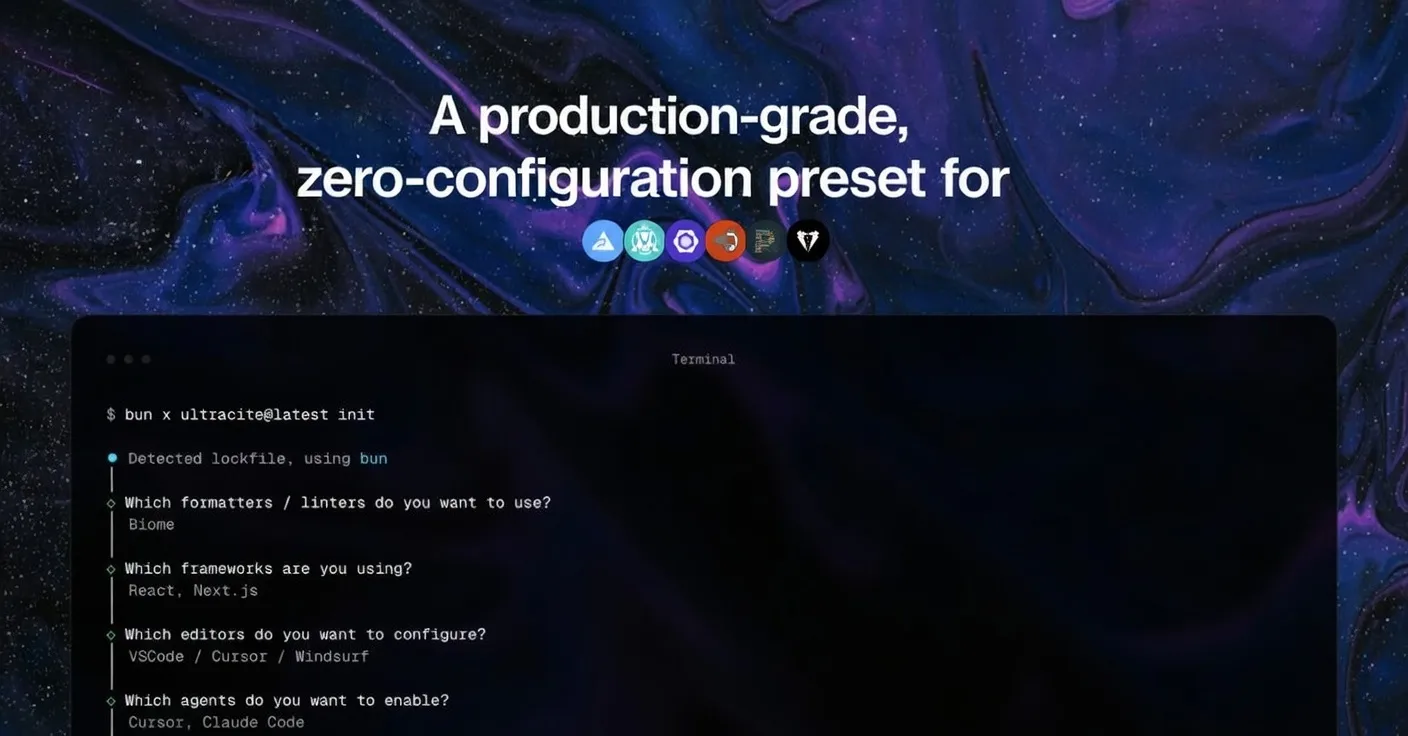


Modern frontend and full-stack development tools are evolving fast — but one pain point persists: consistent, high-quality code formatting and linting. Today, many teams still struggle with complex configuration files (ESLint, Prettier, Stylelint) and inconsistent style rules across developers and AI assistants. Ultracite.ai aims to solve this once and for all.
Built as an opinionated, zero-configuration preset powered by the Rust-based ecosystem, Ultracite delivers lightning-fast formatting, linting, and AI-integrated code quality checks for JavaScript and TypeScript projects — out of the box.
What Is Ultracite?
At its core, Ultracite is a zero-config formatter and linter that wraps around powerful tools like Biome (a Rust-based all-in-one formatter and linter), with presets optimized for modern frameworks such as React, Next.js, and TypeScript.
Key principles:
- ⚡ Subsecond performance — Rust-powered checks run so fast they can trigger on every save without lag.
- 🎯 Zero configuration — sensible defaults mean developers don’t spend hours on
.eslintrc.jsorprettier.config.js. - 🤖 AI-friendly — generates editor and agent rule files so AI coding assistants produce code that already matches your projects’ formatting.
- 🛡 Maximum type safety — strict TypeScript rules help catch potential bugs early.
Installation & Quick Start
Getting started with Ultracite is as simple as running:
npx ultracite initThis command:
- Detects your project setup (React / Next.js / TypeScript)
- Generates sensible defaults
- Produces editor config and AI agent rule files
- Auto-hooks to your editor/IDE
Once installed, Ultracite runs in the background — formatting, linting, and fixing common issues as you code.
You also get CLI tools similar to ESLint/Prettier:
# Check for issues
npx ultracite check

# Automatically fix
npx ultracite fix
Technical Examples
Example: Auto-formatting on Save with VS Code
With Ultracite installed, a typical VS Code settings configuration might look like:
{
  "editor.defaultFormatter": "biomejs.biome",
  "editor.formatOnSave": true,
  "editor.codeActionsOnSave": {
    "source.fixAll.biome": true,
    "source.organizeImports.biome": true
  }
}
This ensures:
- Automatic code formatting on save
- Unused imports removed
- Consistent spacing and style rules enforced uniformly
Example: Using Ultracite with AI Agents
Ultracite can generate rules for tools such as GitHub Copilot, Cursor, Zed, Claude Code, and others, ensuring AI-generated code adheres to your standards:
npx ultracite initYou’ll be prompted to choose which agent integrations you want. Ultracite then creates rule files (for example, .github/copilot-instructions.md for Copilot or .cursor/rules/ultracite.mdc for Cursor) that guide the assistant’s output.
Performance & Benchmarks
While Ultracite itself isn’t benchmarked like an ML model, its runtime performance is a standout:
- Rust foundation (Biome) runs analyses orders of magnitude faster than older Node.js-based tools like ESLint + Prettier. Teams report subsecond linting and formatting even on large codebases, making on-save checks instantaneous.
- By contrast, traditional ESLint + Prettier setups can take several seconds on large projects, leading developers to disable on-save linting entirely — a workflow Ultracite preserves.
This performance delta matters in real-world development: faster feedback loops reduce context switching and improve productivity.
Ultracite Cloud — Automated Code Quality at Scale
Beyond local development, Ultracite Cloud brings automation to your repos:
- Automated linting PRs — comment
@ultracite reviewand the tool will run fixes, commit changes, and update your pull requests. - Scheduled lint runs — catch issues regularly across branches without manual intervention.
- AI-powered fixes — when standard auto-fix isn’t enough, Claude Code can resolve deeper issues like accessibility and type errors.
- Security-minded execution — runs in sandboxed environments, ensuring your source code isn’t stored.
Pricing is modest, with a base monthly fee plus usage-based costs — making automated quality attainable even for small teams.
Use Cases & Workflows
Team Collaboration
Ultracite eliminates style debates during code reviews by enforcing a single, opinionated standard. This is particularly important in teams where:
- Developers have different style preferences
- AI coding assistants generate code
- Onboarding needs to be frictionless
Monorepo Consistency
Maintaining consistent lint and formatting rules across dozens of packages is notoriously difficult. Ultracite’s unified configuration approach removes redundant config files and ensures every package follows the same standards.
AI-Assisted Development
With AI models increasingly used to generate components and boilerplate, guiding them with Ultracite’s rules means less manual cleanup and fewer style conflicts.
Pros & Considerations
Pros
- Zero-config setup saves hours of configuration time.
- Rust-based tooling delivers smooth developer experience.
- Native integration with popular editors and AI assistants.
- Supports monorepos and large codebases effectively.
Considerations
- Opinionated defaults may feel restrictive for teams with established custom style guides.
- As an emerging open-source tool, ecosystem integrations are growing but still maturing.
Summary
Ultracite.ai delivers a pragmatic solution to longstanding developer frustrations around linting and formatting. By combining zero-config simplicity, Rust-level performance, and AI-aware tooling, it redefines how teams maintain consistent, high-quality JavaScript/TypeScript codebases. For organizations striving to modernize their workflow without sacrificing productivity, Ultracite offers both immediate impact and long-term developer experience gains.


